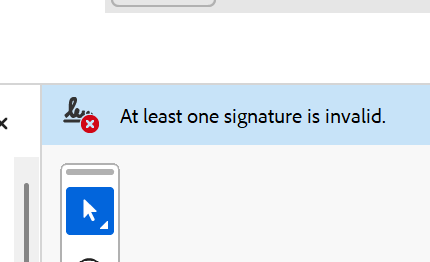
What does "At least one signature is invalid" mean?
When you open an executed contract in Adobe Acrobat and see a red badge with the prompt "At least one signature is invalid", the PDF reader has detected a serious cryptographic failure.
Rather than confirming a legally binding seal, Adobe is actively warning that the digital signature cannot be verified as authentic or intact.
This alert creates immediate hesitation among clients, financial institutions, and partners, jeopardizing the integrity of the business deal.
The difference between "Invalid" and "Unknown validity"
It is crucial to differentiate between two distinct Adobe signature statuses:
"Validity is UNKNOWN" (yellow question mark) means the document is intact and the cert valid, but your device has not yet established trust with the CA.
"At least one signature is INVALID" (red cross) signifies an actual defect: the PDF content changed after signing, the cert was revoked, or the signature container is corrupt.
Primary root causes of invalid signature status
Adobe declares signatures invalid due to one of several critical failures:
- Cryptographic hash mismatch: Any post-signature modification (page deletions, text edits, unauthorized form filling) breaks the SHA-256 digest.
- Printed to PDF or converted: Re-saving through virtual printers or online compressors strips signature dictionaries and invalidates certificates.
- Revoked certificate: If the signer certificate was revoked via CRL or OCSP, validation immediately fails.
- Missing LTV (Long-Term Validation): Without embedded timestamp and revocation data, signatures become invalid once the original cert reaches expiration.
- Non-compliant PAdES construction: Budget signature engines that violate ETSI EN 319 142 standards produce malformed signature objects.
The hazard of unknown CA providers and inadequate tools
A major culprit behind invalid signatures is using sub-standard e-signature platforms that cut corners on security architecture.
Credible digital signatures require root Certificate Authorities enrolled in the Adobe Approved Trust List (AATL) or European Union Trusted Lists (EUTL).
When signature services operate with self-signed keys or untrusted CAs, every document delivered to external stakeholders displays alarming red flags, discrediting your company.
How to diagnose the error in Adobe Acrobat
To identify why a signature is flagged, open the PDF in Adobe Acrobat, access the Signatures Panel on the left, right-click the flagged signature, and select "Show Signature Properties".
Review the Validity Summary to see whether document modification or certificate issues caused the failure.
Business ramifications of invalid signed agreements
Commercial banks reject financing applications accompanied by invalid signatures. External auditors raise compliance qualifications, and litigation opponents can successfully challenge agreement authenticity in court.
How KvikSign ensures guaranteed green checkmarks
KvikSign delivers foolproof, enterprise-grade signing infrastructure designed to eliminate signature invalidity forever:
AATL-accredited root certificates (including GlobalSign) recognized automatically by all PDF readers worldwide.
Verified MitID and MitID Business authentication linking signers to genuine personal CPR and company CVR records.
Automated PAdES-LTV sealing with RFC 3161 certified timestamps ensuring permanent validation decades into the future.
Guaranteed green checkmarks on every contract: "Signed and all signatures are valid".