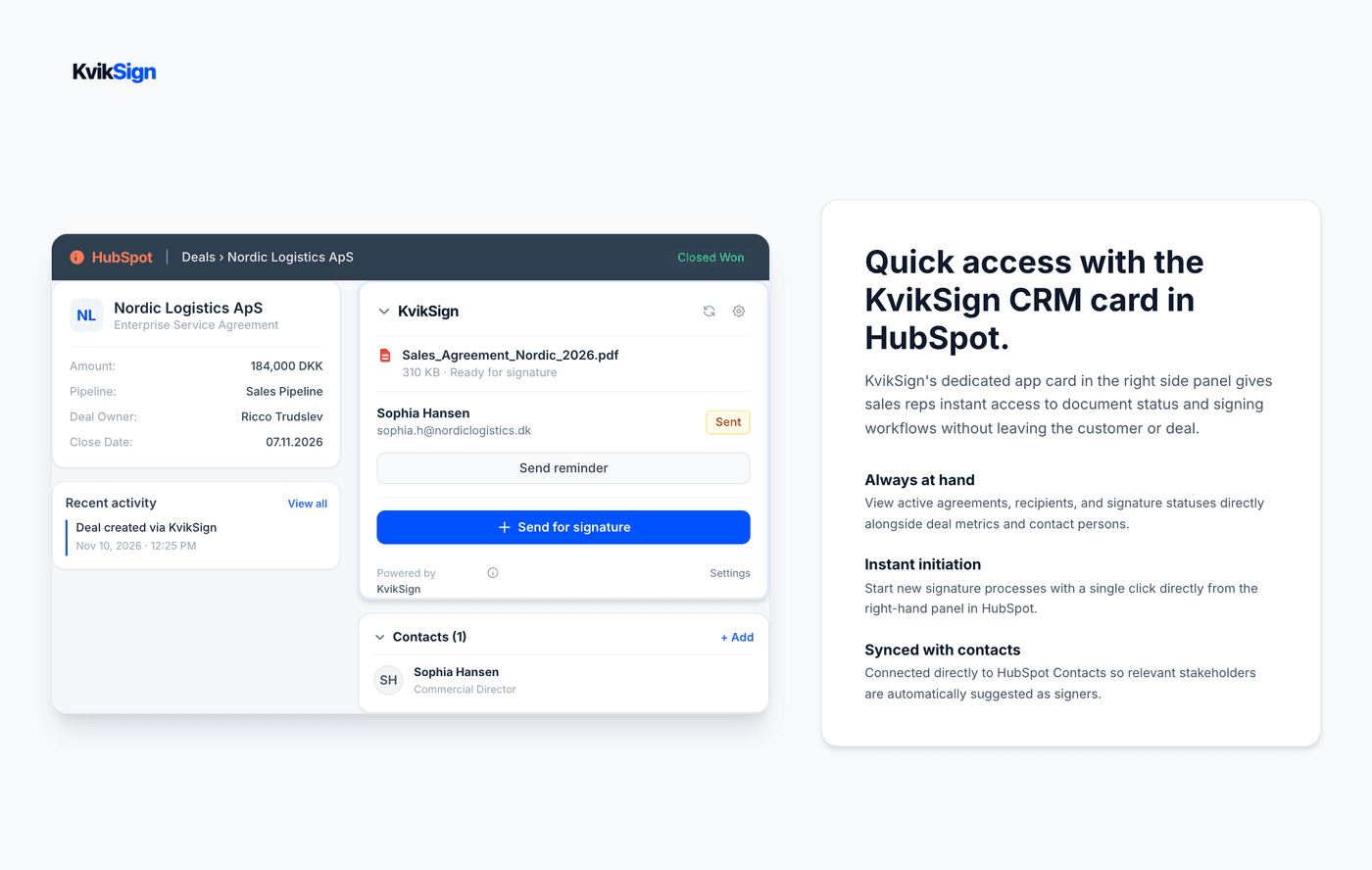
Card in HubSpot for fast sending synchronized with contacts and files
When KvikSign is connected to HubSpot CRM, a dedicated KvikSign card is added directly inside your HubSpot Deals. Built for fast sending without switching tabs, the card is automatically synchronized with the Deal’s associated contacts and attached files.
Whenever you open a Deal in HubSpot, KvikSign automatically pre-loads the contact names, email addresses, phone numbers, and attached files so you can launch a signing flow in seconds.
Send Word and PDF from hubspot: choose delivery, ID, signing, and language
Directly from HubSpot, you can send both Word and PDF documents for signature. KvikSign prepares the files automatically, and you have full control over how each recipient verifies and signs:
- Send both PDF and Word: Select documents directly from the HubSpot Deal or upload new files on the fly.
- Choose ID and signing method: Decide whether recipients verify and sign with MitID, Swedish BankID, Norwegian BankID, Finnish FTN, touchscreen signature, or standard electronic approval.
- Choose delivery method and language: Deliver invitations via email, SMS, or both, and select the interface and notification language, danish, English, Swedish, Norwegian, etc.for each signer.
Real-time status updates, automatic reminders, and one-click reminders
Once your document has been dispatched, you can monitor the entire signing process directly inside HubSpot. KvikSign updates the status in real time on the Deal card so you always know who has received, viewed, signed, or declined the agreement.
Automatic reminders keep the process moving without manual follow-up, and if you want to nudge a recipient right away, you can send a reminder with a single click directly from HubSpot.
HubSpot timeline with notes and automatically archived documents
Every step of the agreement lifecycle is documented on the HubSpot timeline:
- Timeline notes and activity log: Every time a document is sent, viewed, signed, or declined, detailed notes are logged directly on the HubSpot Deal timeline.
- Automatic document archiving in HubSpot: As soon as all parties have signed, the digitally sealed PDF is returned and automatically archived on the Deal in HubSpot.
- Pipeline and property updates: You can also configure KvikSign to automatically update Deal stages and custom properties upon signature or rejection.
Setup: how to connect HubSpot in under 2 minutes
Navigate to Settings → Integrations in KvikSign, select HubSpot, and authorize the connection via one-click HubSpot OAuth. Your KvikSign card, contact and file synchronization, real-time status tracking, and timeline archiving are immediately ready.